Microsoft released Windows Server 2008 and Windows Vista: Service Pack 2 on 26th May.
I earlier had Windows Vista Ultimate: Service Pack 1 on my Dell Lappy. I upgraded it to SP2. Here’s a screeny:
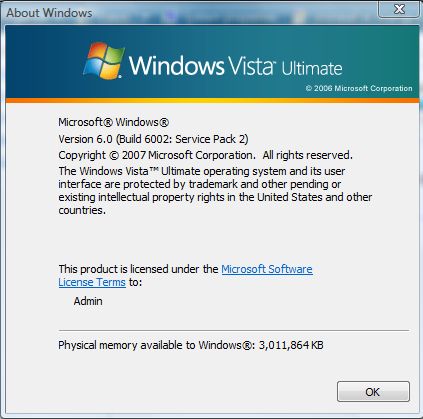
Before installing, here are few things you need to know:
Prerequisites
If you have any beta versions of SP2 installed, they must be un-installed prior to installing
- Use the Control Panel applet “Programs and Features” and select “View installed updates” from the top left of the task pane, under Windows, look for KB94846
You must have a genuine copy of Windows Server 2008 with SP1 or Windows Vista with SP1 installed on the computer prior to installing SP2
- Windows Server 2008 released with the Service Pack 1 code included
- SP2 is the first post-release Service Pack for Windows Server 2008
Recommendations
If “vLite” was used to customize your Windows Vista installation, you may have removed required system components which prevent Service Pack 2 from installing. See KB 968279 for additional details before installing Service Pack 2.
Beta versions of Windows Server 2008 SP2/Windows Vista SP2 are time-limited software that will operate until June 1st, 2010. If you installed any beta versions of Windows Server 2008 SP2/Windows Vista SP2 it is highly recommended that you uninstall them before June 1st, 2010
Download: [Vista SP2/Server 2008 SP2 32 bit]
Download: [Vista SP2/Server 2008 SP2 64 bit]
If you face any problems while installing, don’t hesitate to comment below!
{ 1 comment… read it below or add one }
All the points are clearly mentioned here. Good work. Congratulations!!